Creating a desk setup that promotes both focus and comfort is essential for productivity and well-being. Whether you’re working from home or the office, a well-arranged workspace can reduce distractions, prevent physical strain, and help you maintain concentration throughout the day. Here are some practical tips to help you design a desk setup that supports your best work.
Why a Good Desk Setup Matters
A cluttered or uncomfortable desk can lead to distractions, fatigue, and even long-term health issues like back or neck pain. Conversely, an organized and ergonomic workspace fosters better posture, quicker task completion, and enhanced mental clarity. Investing time in setting up your desk right will pay off in improved focus and comfort over time.
Choosing the Right Desk and Chair
Desk Height and Size
Your desk should be at a height where your elbows can rest comfortably at a 90-degree angle when typing or writing. Standard desk height is usually around 28 to 30 inches, but adjustable desks are ideal as they allow you to find the perfect height for your body.
Make sure your desk surface is spacious enough to hold essential items like your computer, keyboard, mouse, notebook, and any other tools you use regularly without feeling cramped.
Comfortable Chair with Good Support
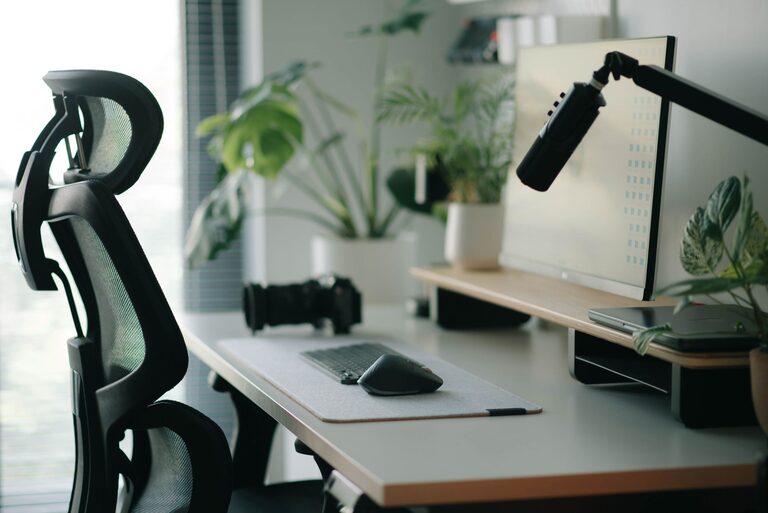
A good chair supports your lower back and encourages upright posture. Look for chairs with adjustable seat height, lumbar support, and armrests. Sitting with your feet flat on the floor and knees at about a 90-degree angle helps prevent strain.
If possible, consider an ergonomic chair designed specifically for long hours of sitting.
Positioning Your Monitor for Eye Comfort
Place your monitor so the top of the screen is at or just below eye level. This position helps you keep your neck in a neutral position. The monitor should be about 20 to 30 inches away from your face, roughly an arm’s length.
To reduce eye strain, adjust screen brightness to match your room lighting and consider using an anti-glare screen or monitor hood. Remember to follow the 20-20-20 rule: every 20 minutes, look at something 20 feet away for at least 20 seconds.
Organizing Your Desk for Efficiency
Declutter Regularly
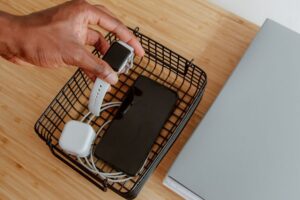
Keeping your desk tidy helps reduce distractions and makes it easier to find what you need. Use drawer organizers, trays, or containers to store pens, papers, and other small items.
Prioritize Frequently Used Items
Place the tools you use most often within easy reach to avoid unnecessary stretching or twisting. This could be your phone, notepad, or certain reference materials.
Cable Management
Messy cables can create visual clutter and sometimes a safety hazard. Use cable clips, ties, or sleeves to keep cords organized and out of the way.
Lighting: Brighten Your Space Wisely
Good lighting reduces eye strain and improves mood. Ideally, position your desk near a window for natural light but avoid direct glare on your screen. Use adjustable desk lamps to focus light where you need it.
Warm, soft lighting is generally easier on the eyes compared to harsh overhead fluorescents. Consider bulbs labeled “daylight” or “soft white” for a comfortable atmosphere.
Adding Personal Touches Without Overcrowding
A few personal items like a plant, a photo, or a small piece of art can make your space inviting and boost your mood. Just avoid overloading your desk with decorations that might distract you.
Plants are especially beneficial — they improve air quality and add a calming presence.
Taking Breaks and Adjusting Your Setup
Even the best setup can’t replace regular movement. Take short breaks every hour to stand up, stretch, and change your position. This helps reduce muscle stiffness and refresh your focus.
If you find discomfort while working, adjust your chair height, monitor angle, or keyboard position as needed.
Tips for Remote and Shared Workspaces
If you’re working remotely or sharing a workspace, portability and adaptability are key. Consider using:
– Laptop stands to elevate your screen
– Portable keyboards and mice
– Lightweight chair cushions for extra support
Having a defined area for work, even if small, helps signal your brain that it’s time to focus.
—
By applying these desk setup tips, you can create a workspace that encourages concentration and comfort, making your workday more productive and pleasant. Remember that small adjustments can make a big difference—take your time to find what works best for you.